Annual HR Activity in ERPNext / Frappe HR
Effective HR management is crucial for maintaining a well-organized and productive work environment. To streamline the process, certain setup activities can be completed before the leave period begins, ensuring a smooth transition into the time-off phase. This involves preparing key elements such as the Holidays List, Leave Types, Leave Period, and Leave Policies. Additionally, specific actions must be taken on the start date of the leave period, including the assignment of Leave Policies and adjustment of Leave Allocations.
Some activities need to be done on when your leave period starts, while others can be done before leave period starts.
Setup/Activities that can be done before starting of leave period:
Holiday List
Leave Type
Leave Period
Leave Policy
Activities that needs be done on start date:
Leave Policy assignment Leave allocation
1.Holidays List
Create the Holidays List each year, incorporating any new holidays or modifications based on organizational needs.
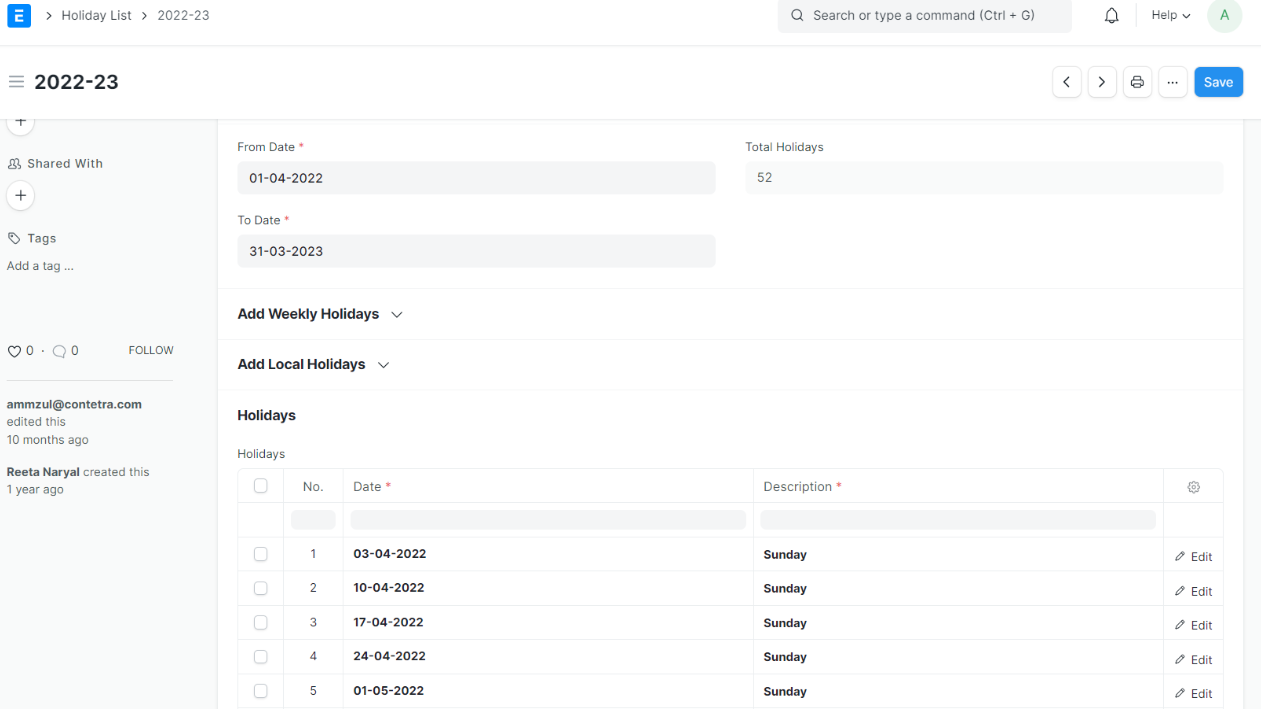
Assign Holiday to Employees:
For a Single Employee:
1. Go to the Employee List.
2. Select the employee you want to set the holiday for.
3. Go to the Attendance & Leave tab.
4. Select the 'Holiday List'.
5. Click on Save
For Bulk Assignment:
1. Go to the Employee List.
2. Select the employees. If you want to set holidays based on the department, apply the filter and then select all employees. The same can be done for branch-wise and company-wise holiday assignments.
3. Click on "Action."
4. From the drop-down menu, click "Edit."
5. A pop-up will appear. In the field, write "Holiday List" and in the value, select the respective holiday list you want to assign to the employees.
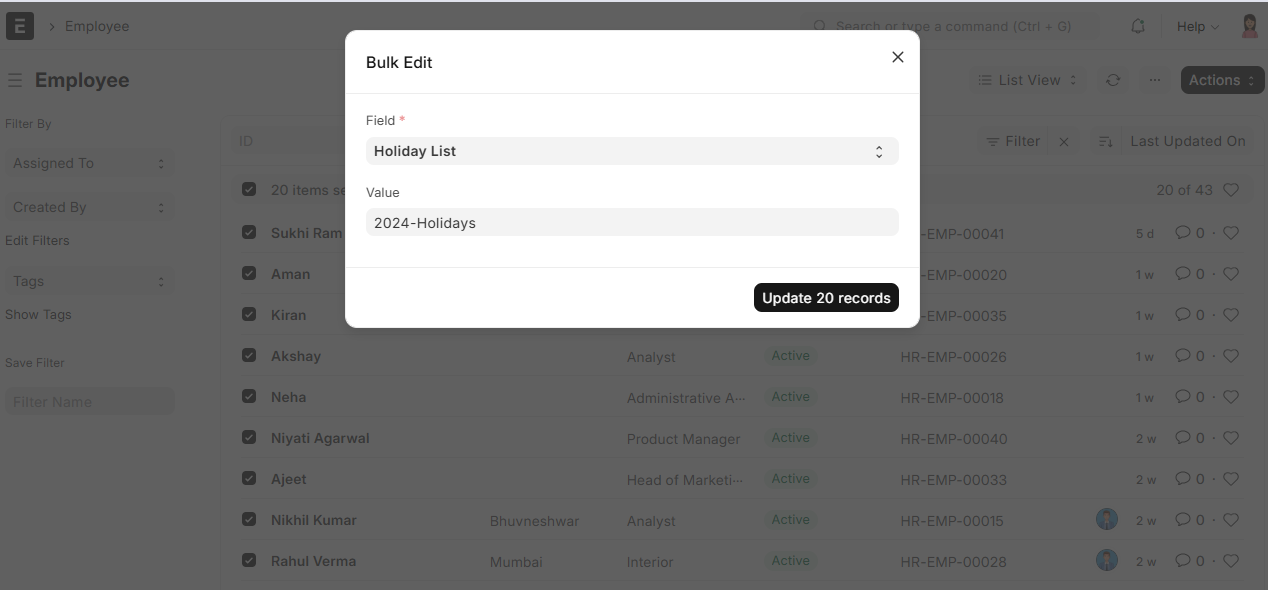 6. Click on 'update 20 records'
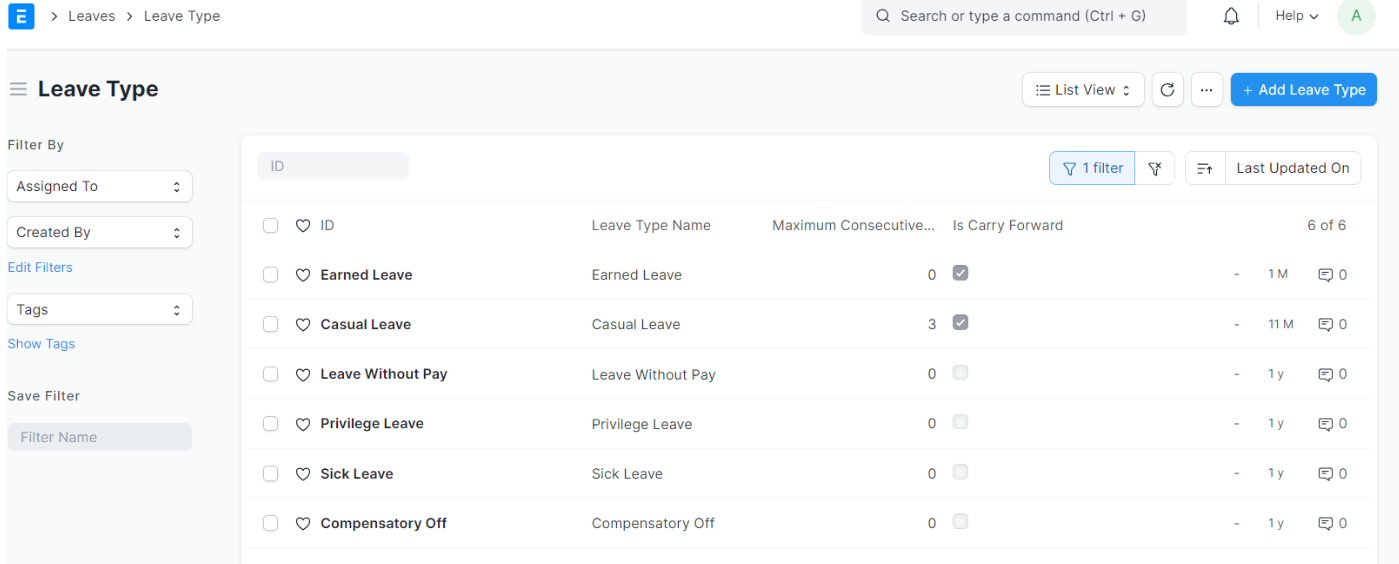
2.Leave Type
Review and adjust Leave Types as necessary to accommodate any policy changes or new leave categories.
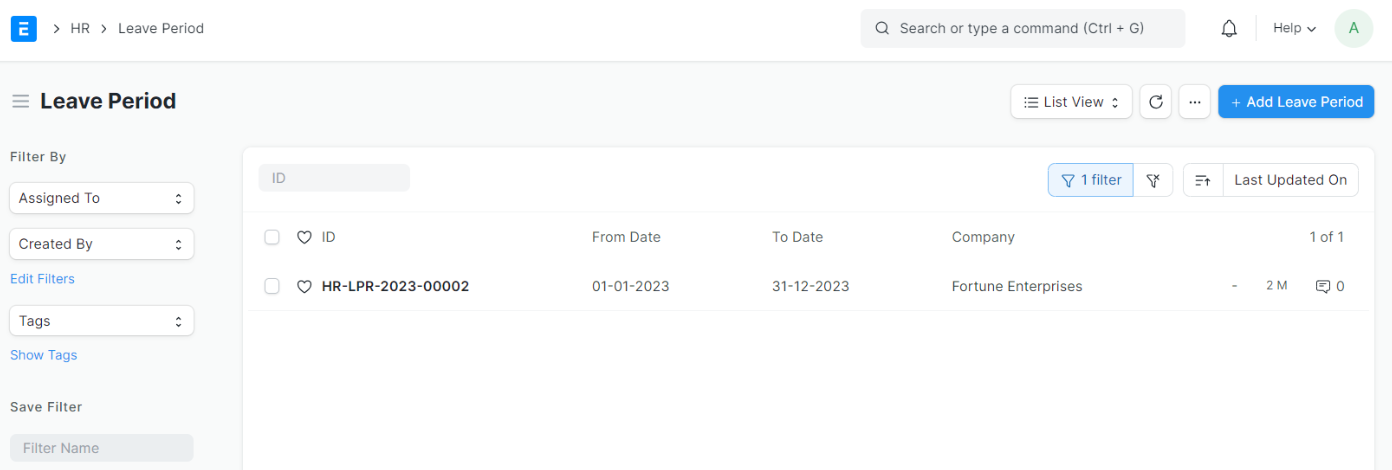
3.Leave Period
Leave Periods to match your company's fiscal year or Calendar Year
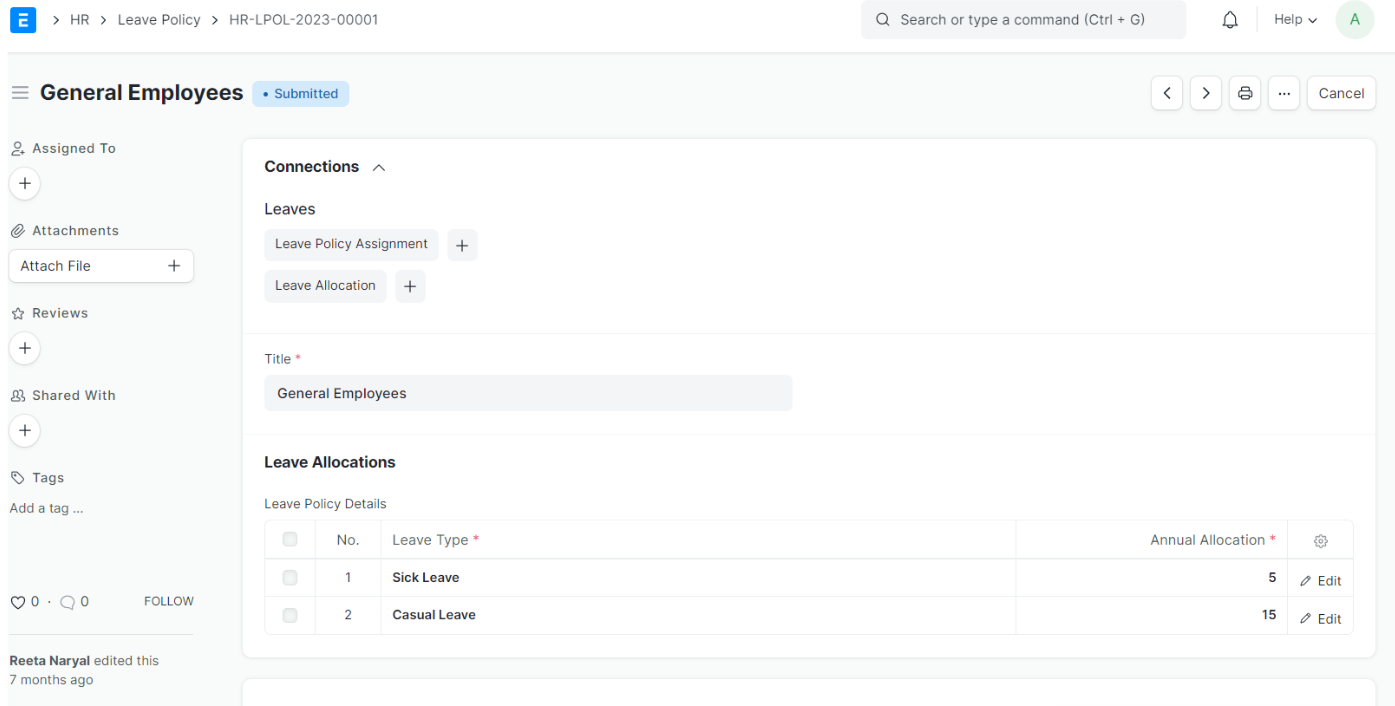
4.Leave Policy
Review and update Leave Policies to ensure and reflect any policy changes or industry standards.
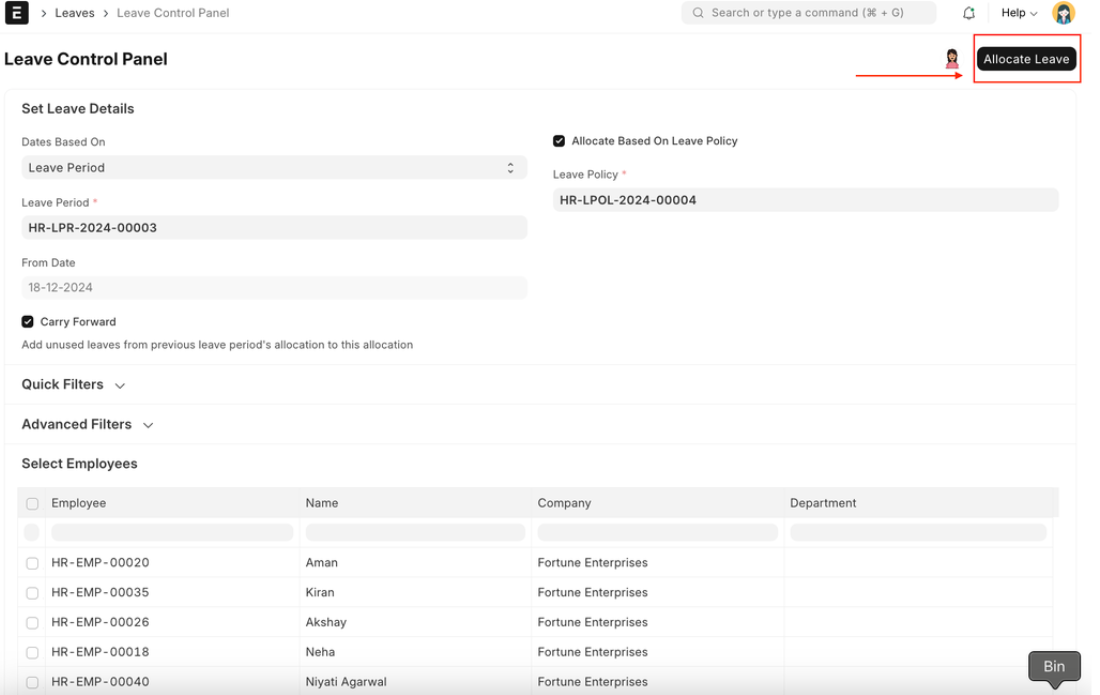
5.Leave Control Panel
Allows you to allocate leaves in bulk based on a specific Leave Policy or Leave Type.
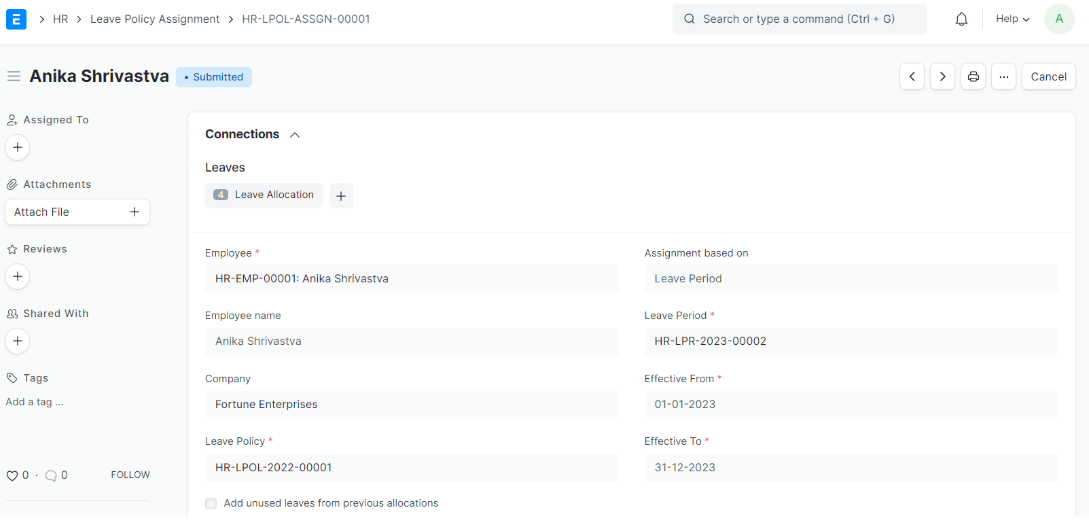
6.Leave Policy Assignment
Verify the assignment of Leave Policies to employees as per the leave control panel.
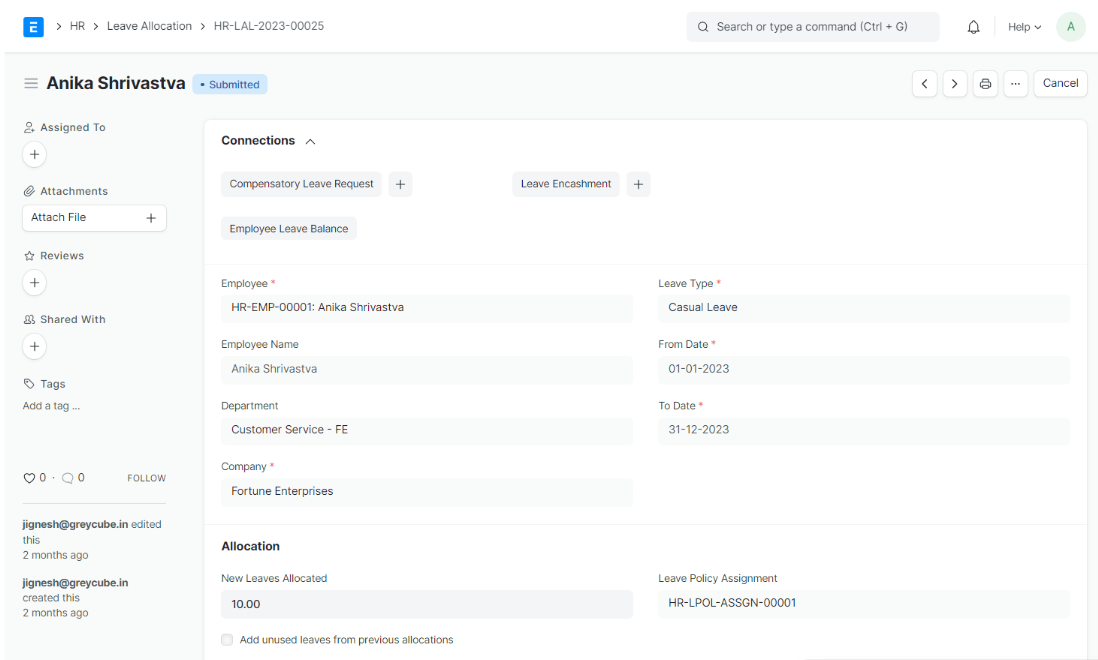
7.Leave Allocations
Verify Leave Allocations for employees
Conclusion:
With Frappe's user-friendly interface and powerful HR management capabilities, your HR department can not only meet these yearly requirements but also enhance the overall employee experience. Make the shift to Frappe HR, and witness the transformation of your HR processes today. Your employees will thank you for it!